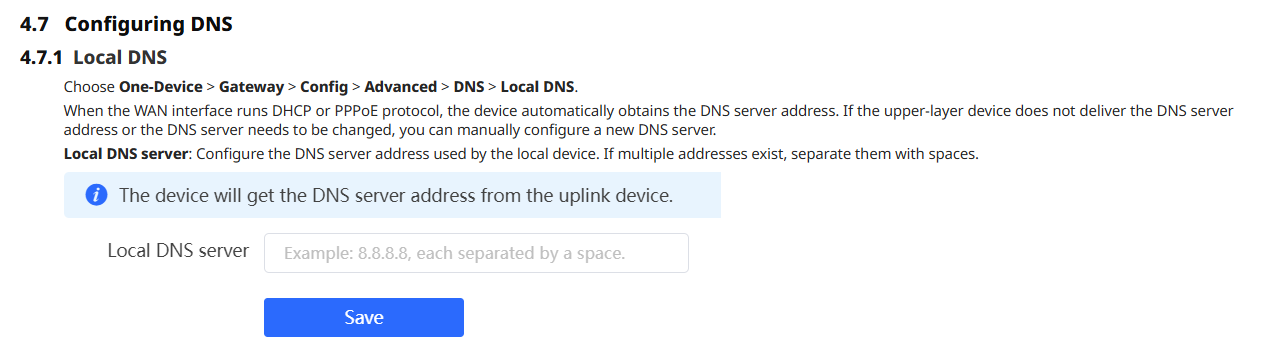
Title: How configure a Server DNS on EG310GH-E [Print this page] Author: software@novert Time: 2026-6-12 06:14 Title: How configure a Server DNS on EG310GH-E I need to configure a server DNS for all LAN with IP address 1.1.1.1 - 8.8.8.8
The information regarding the DNS configuration is in section: 4.7 Configuring DNS
You can see more advanced options in that same section.
Please let us know if this answer your needs.
Best regards.
Author: mungekigathi@gm Time: 2026-7-15 20:08
This should be configured in the [strong]DHCP DNS option[/strong], so devices automatically receive the DNS servers when they connect.
Through Ruijie Cloud
Log in to [strong]Ruijie Cloud[/strong].
Open the relevant [strong]Project[/strong].
Go to [strong]Devices[/strong] and select the [strong]RG-EG310GH-E gateway[/strong].
Open [strong]Config[/strong] or [strong]eWeb[/strong].
Navigate to:
[strong]Network → LAN → DHCP[/strong]
Find [strong]DHCP Option[/strong], [strong]DNS Server[/strong], or [strong]Advanced DHCP Settings[/strong].
Enter the DNS servers as:
1.1.1.1 8.8.8.8
Separate the addresses with a [strong]space[/strong], not a comma or semicolon.
Click [strong]Save[/strong] or [strong]Apply[/strong].
Ruijie documents the Cloud path as [strong]One-Device → Gateway → Config → Network → LAN → DHCP[/strong].
Through the router’s local interface
Browse to the management IP address of the RG-EG310GH-E.
Sign in to the gateway.
Open:
[strong]LAN Settings → DHCP Option[/strong]
Set the DNS server value to:
1.1.1.1 8.8.8.8
Save the configuration.
On Reyee EG gateways, this DHCP DNS setting is shared across the LAN interfaces and LAN subinterfaces, so it should apply to all LANs/VLANs using the gateway’s DHCP service.
Welcome to Ruijie Community (https://community.ruijie.com/)