Ruijie Community

Title: Unable to key in PSK / Password that contains the special character(s) (/%) & more 16 character On Model AP810-L [Print this page]

Author: ywlee@ales.my    Time: 2026-11-2 14:40
Title: Unable to key in PSK / Password that contains the special character(s) (/%) & more 16 character On Model AP810-L

Dear All Support Team Ruijie & Reyee

Good day to you All, I encounter a issue to Unable to key in PSK / Password that contains the special character(s) (/%) & more 16  character On Model AP810-L
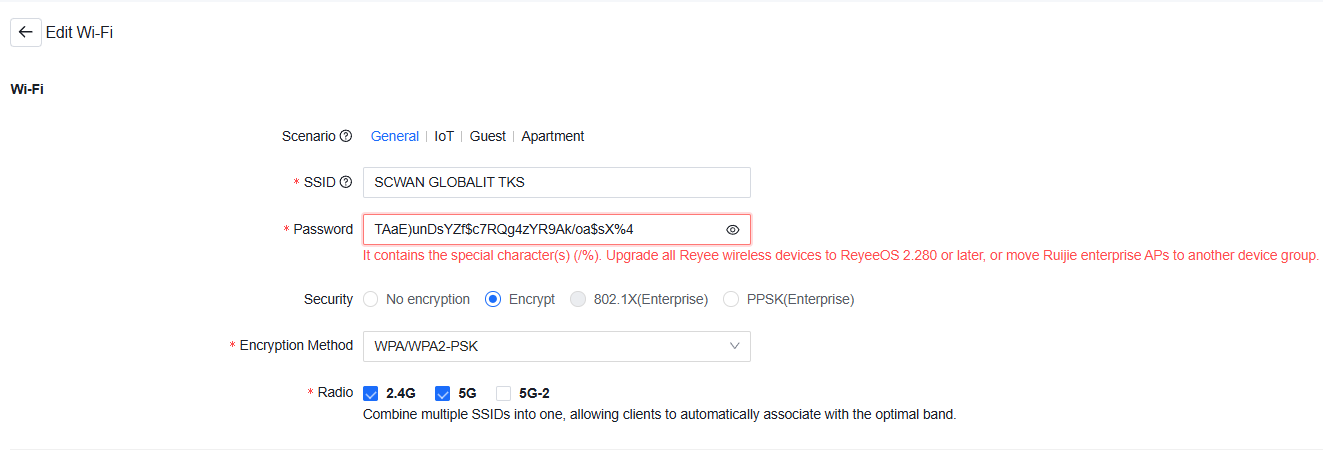
Error Pop up below
t contains the special character(s) (/%). Upgrade all Reyee wireless devices to ReyeeOS 2.280 or later, or move Ruijie enterprise APs to another device group.


Model AP810-L
Firmware  : AP_RGOS 11.9(6)W5B9P2, Release(13172023) Latest


Please advice !

Thank you


Author: v-shaojinren@ru    Time: 2026-11-2 16:59
Edited by GTAC-Ryan at 2026-11-2 17:01

Dear customer,
Ruijie Cloud does not support special characters including "/" and "%".
If you need to configure special characters for an SSID on your Ruijie enterprise APs, you can configure it via CLI tasks. Here are the steps you can follow.
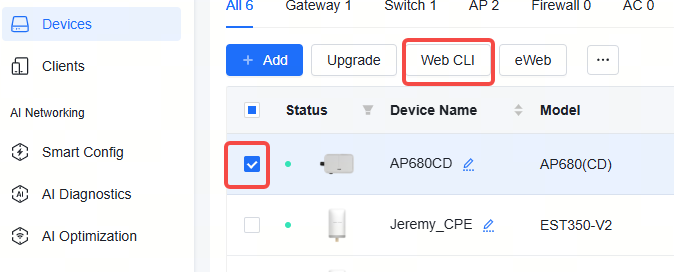
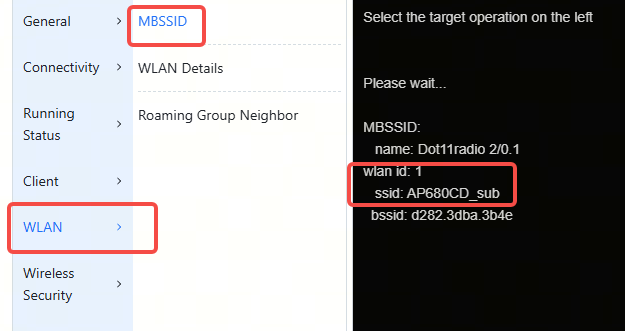
1. Find the WLAN ID of the target SSID via web cli:


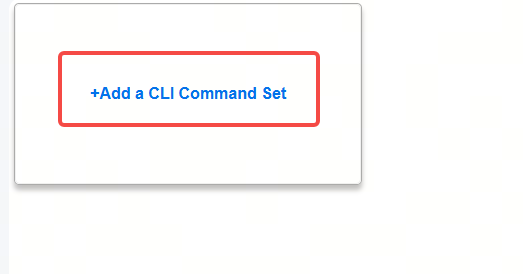
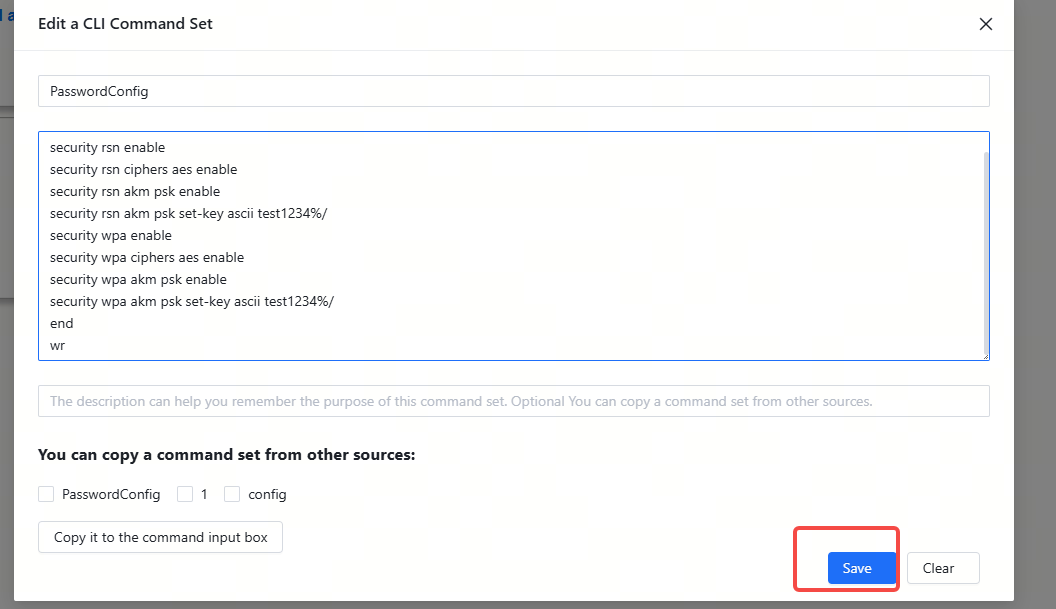
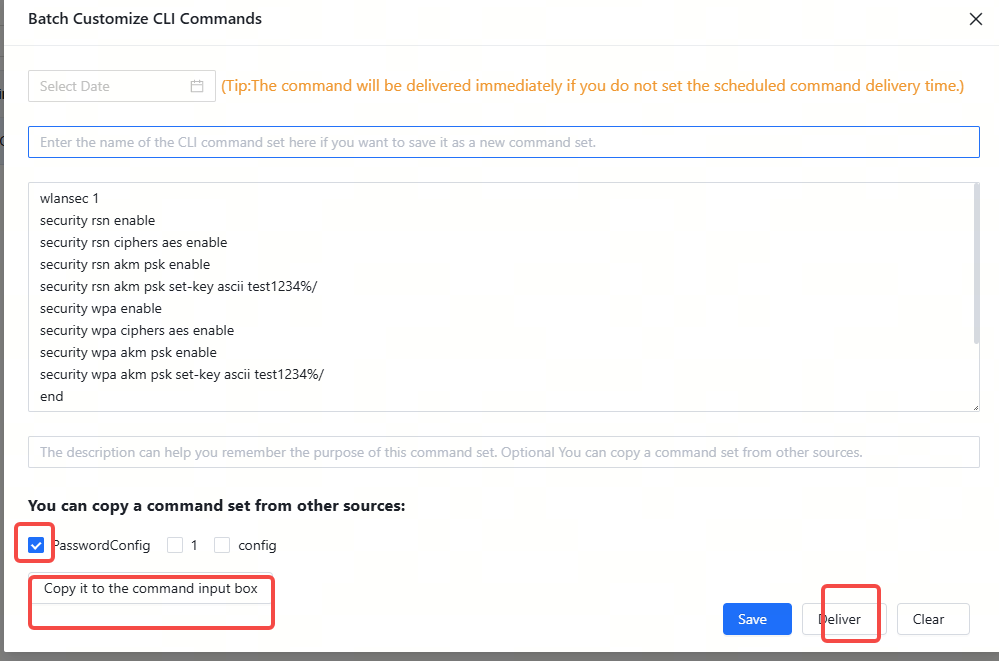
2. Add a CLI test in the "Device Config > CLI Config Task" page like the following one.

wlansec 1

security rsn enable

security rsn ciphers aes enable

security rsn akm psk enable

security rsn akm psk set-key ascii test1234%/

security wpa enable

security wpa ciphers aes enable

security wpa akm psk enable

security wpa akm psk set-key ascii test1234%/

end

wr
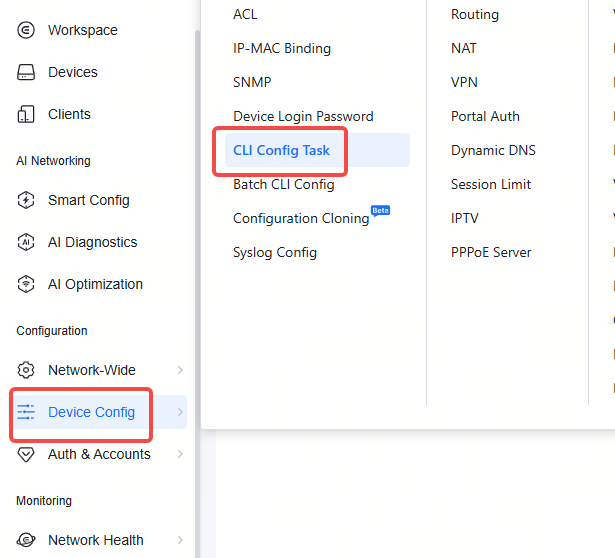

The "wlansec 1" can be replaced with the actual WLAN ID. For example, if the WLAN ID of  the SSID is 2, it can be replaced with "wlansec 2".
The parameters behind "set-key ascii" is the password for the SSID.


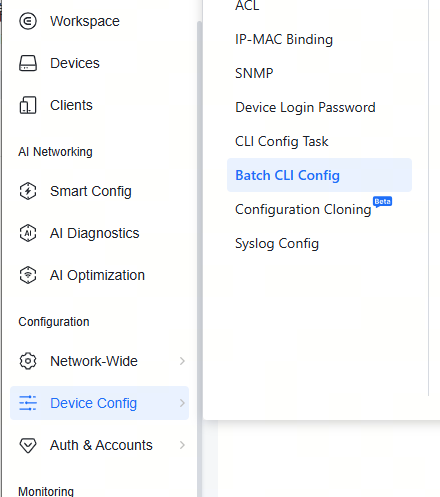
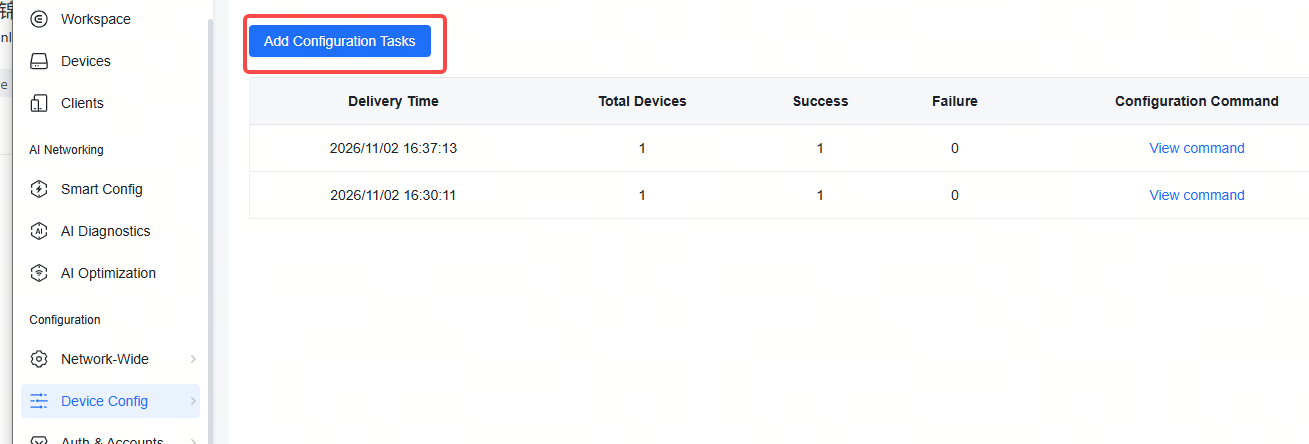
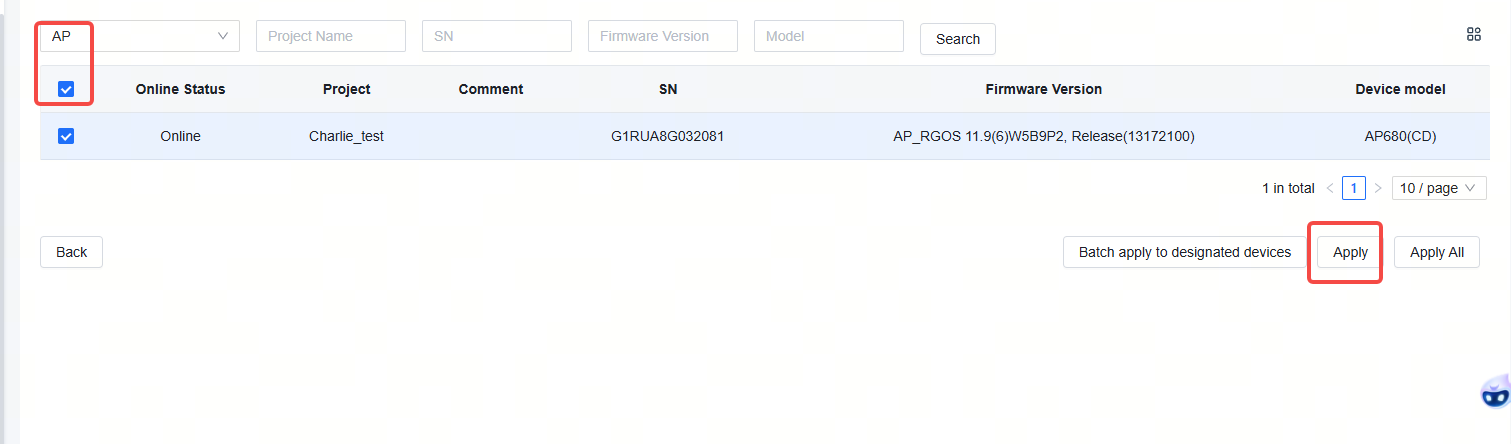
3. Once the CLI task is saved, navigate to Device Config > Batch CLI Config to initiate a CLI task


Toggle the CLI task you saved and copy it to thee  command input box, then click "Deliver".

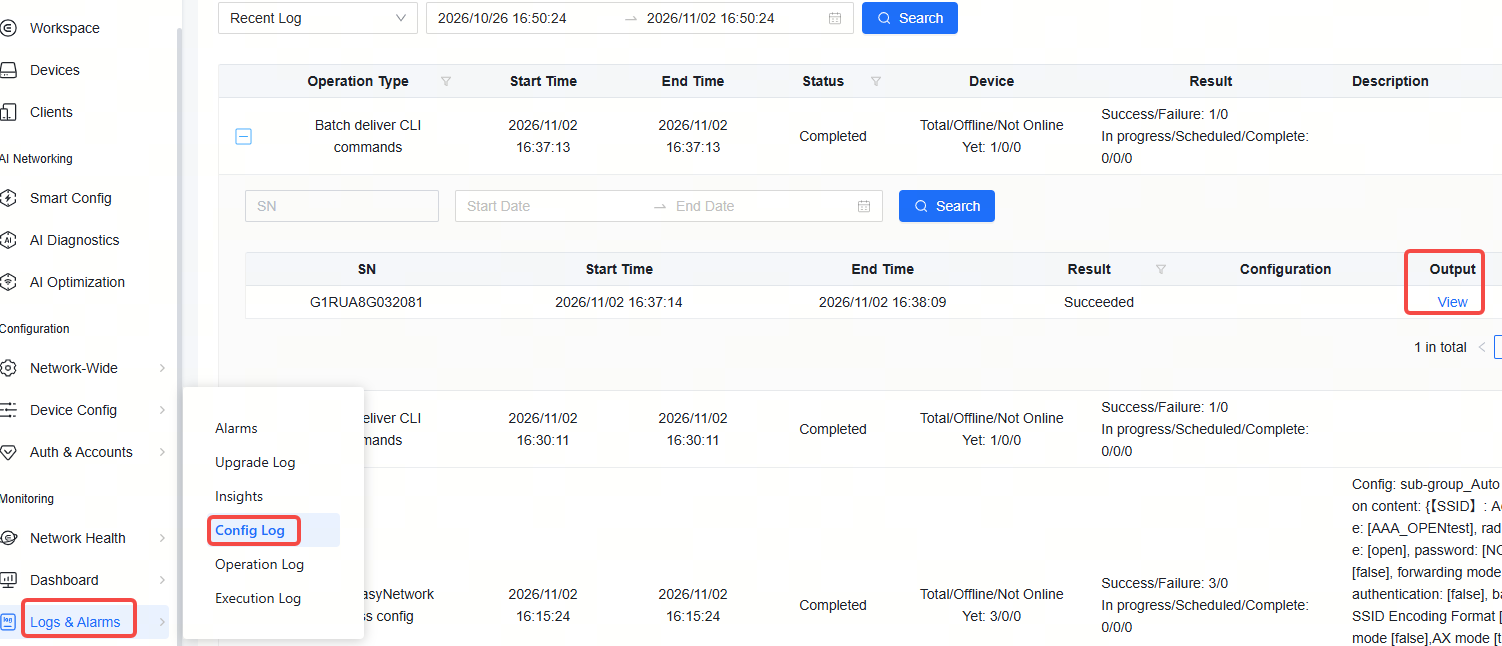
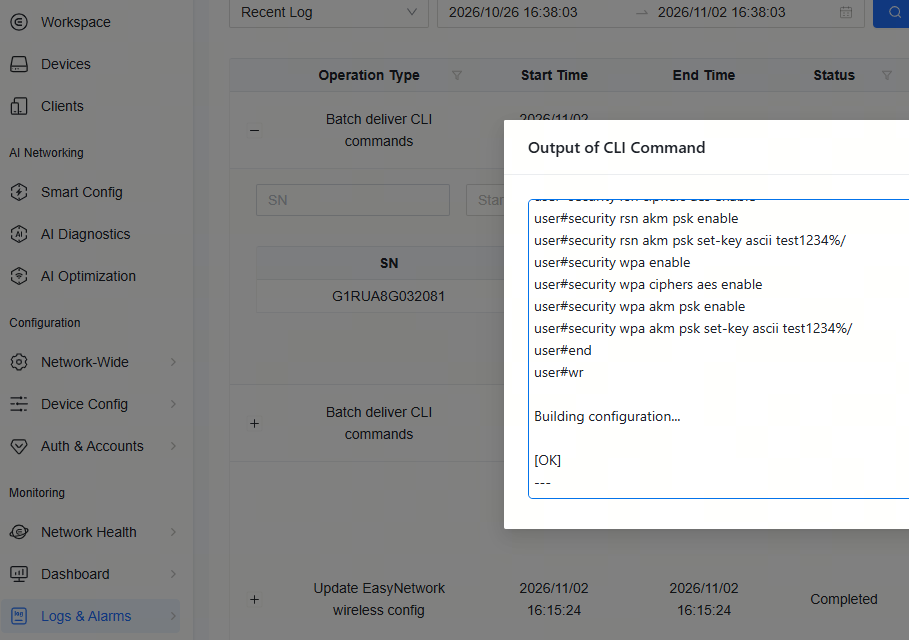
The configuation progress can be viewed in the "Log & Alarms > Config Log" page.


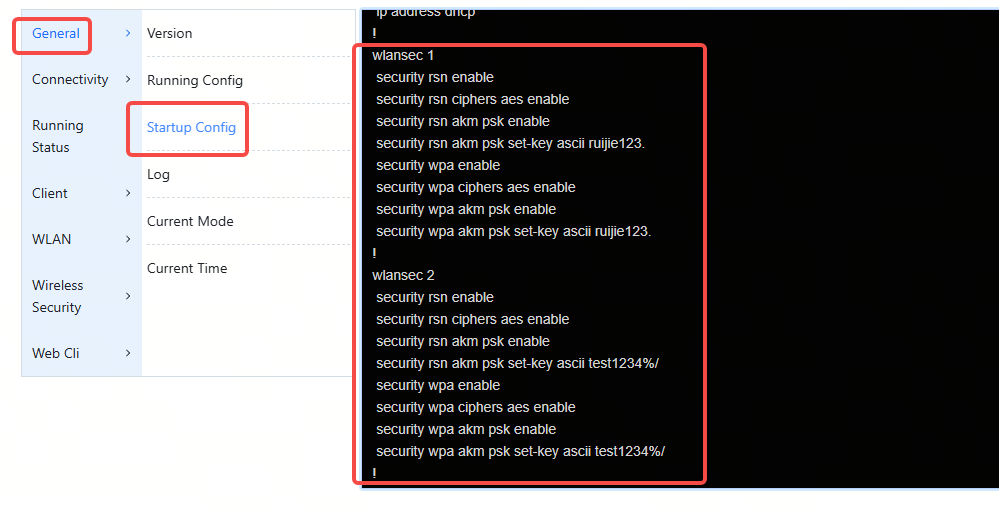
After the configuration is delivered, the cloud project won't display the password you configured. But you can view the password in the running config of your APs via web CLI.


Welcome to Ruijie Community (https://community.ruijie.com/) Powered by Discuz! X3.2