Ruijie Community
Title:
How to Setup OpenVPN on Reyee Router in the Year 2026
[Print this page]
Author:
jacques@aquilat
Time:
2026-11-6 01:40
Title:
How to Setup OpenVPN on Reyee Router in the Year 2026
How to Setup OpenVPN on Reyee Router
1. If you don't have public static IP create DDNS account on
https://www.dynu.com/.
or use
https://www.noip.com/
or
https://account.dyn.com/.
If using
dynu DDNS remember to download IP update client on a Computer\Notebook that will permanently onsite
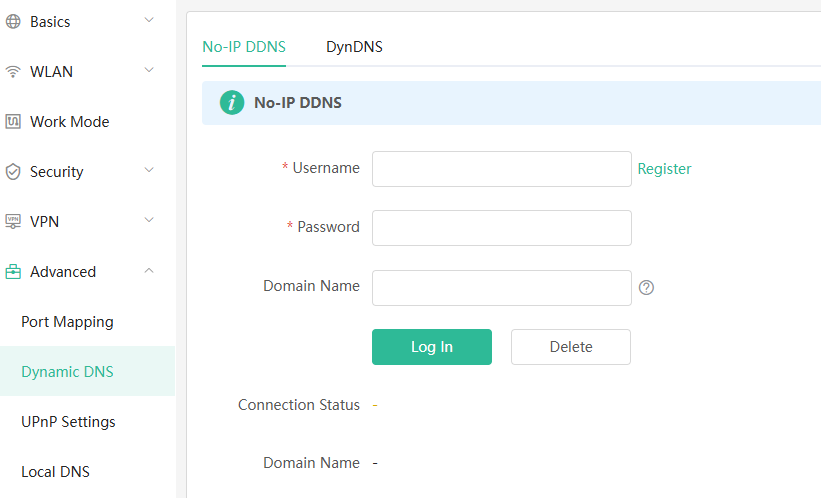
2. Setup Dynamic DNS on
Reyee Router
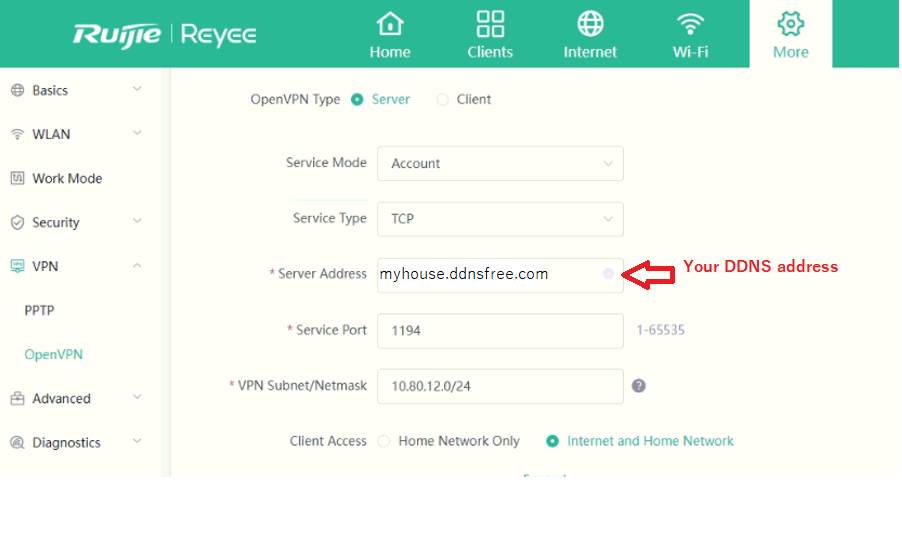
3. Setup OpenVPN Server and click Save
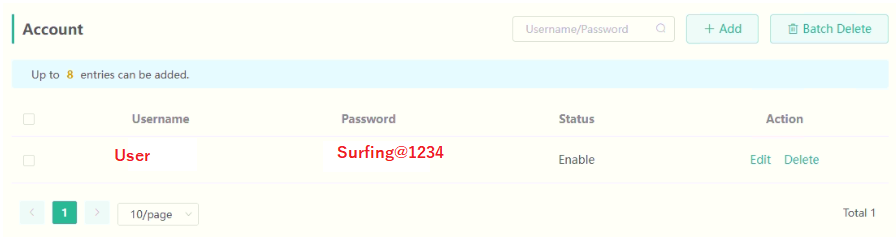
4. Create User account
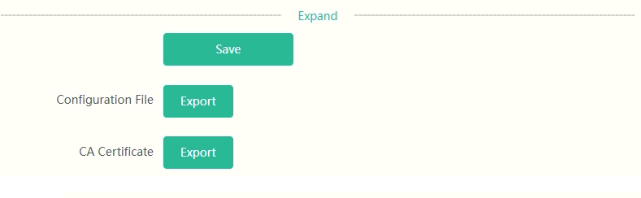
5. Export Configuration file
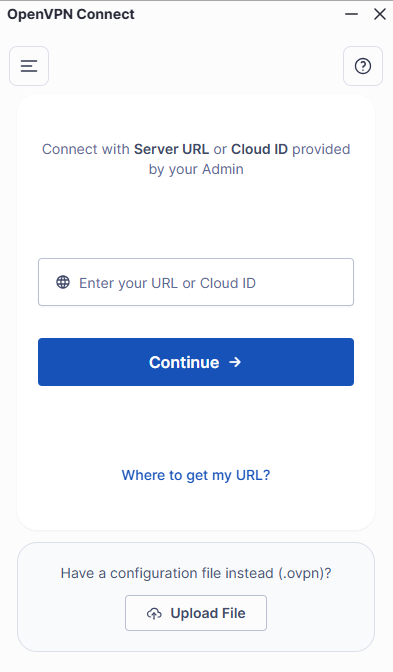
6. Download OpenVPN Client and install
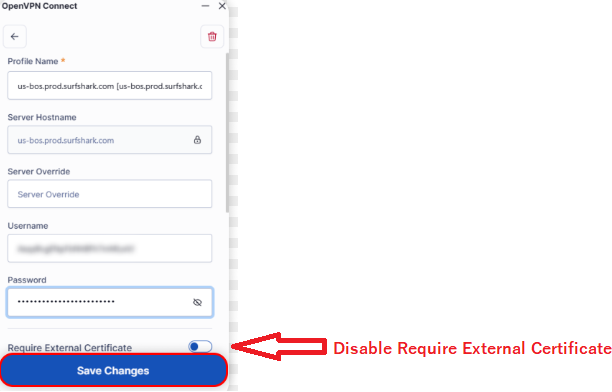
7. Run OpenVPN client & Upload Configuration file & Disable Required External Certificate
9. Connect with Open VPN client put in username and password
Welcome to Ruijie Community (https://community.ruijie.com/)
Powered by Discuz! X3.2