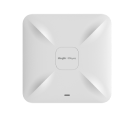
Disable LEDS in Ruijie AP
|
Can we turn off the LED lights on 810(L) and 820V2 products? |
|
Dear, You may refer to this post: How to disable Ruijie AP LED? - Wireless - Ruijie Community (ruijienetworks.com) RD, David |
|
Yes, you can turn off the LED lights on the Reyee 810(L) and 820V2 products. This is often possible through the device's management interface. |
|
Yes You Can turn off the LED lights on 810(L) and 820V2 products. |
|
Yes, you can absolutely turn off the LED lights on all of these models, but the method depends on whether you are managing them as Enterprise APs (RG-AP810-L and RG-AP820-L(V2)) or Reyee APs (RG-RAP52-OD).For Reyee Series (RG-RAP52-OD) Since this is a Reyee OS device, it is incredibly easy to manage via the local web interface (Eweb) or the mobile application.
2. For Enterprise Series (RG-AP810-L and RG-AP820-L V2)The 810(L) and 820(V2) are enterprise-tier access points. Ruijie uses what they call Quiet Mode to disable the status LEDs. This can be managed directly via the Command Line Interface (CLI) or through your Wireless Controller (AC) if deployed in Fit AP mode.Option A: Via the Command Line Interface (CLI)If the AP is running in standalone Fat mode or managed via the cloud, log in via SSH and apply a 24-hour time schedule to shut them off completely:Plaintext Ruijie# configure terminalRuijie(config)# schedule session 1Ruijie(config)# schedule session 1 time-range 1 period Sun to Sat time 00:00 to 23:59Ruijie(config)# exitRuijie(config)# quiet-mode session 1 (Note: To turn them back on later, simply negate the command with no quiet-mode session 1 .)Option B: Via a Wireless Access Controller (AC)If these units are deployed in Fit mode under a hardware controller, you push the change directly from the AC configuration to a specific AP:Plaintext AC(config)# schedule session 1AC(config)# schedule session 1 time-range 1 period Sun to Sat time 00:00 to 23:59AC(config)# ap-config <AP-NAME-OR-MAC>AC(config-ap)# quiet-mode session 1 |
This site contains user submitted content, comments and opinions and is for informational purposes only. Ruijie may provide or recommend responses as a possible solution based on the information provided; every potential issue may involve several factors not detailed in the conversations captured in an electronic forum and Ruijie can therefore provide no guarantee as to the efficacy of any proposed solutions on the community forums. Ruijie disclaims any and all liability for the acts, omissions and conduct of any third parties in connection with or related to your use of the site. All postings and use of the content on this site are subject to the Ruijie Community Terms of Use.
More ways to get help: Visit Support Videos, call us via Service Hotline, Facebook or Live Chat.
©2000-2023 Ruijie Networks Co,Ltd


 Level 1