|
Many times, for some reason, after add ruijie APs to cloud and we check that they are not online. So we cannot longer to deliver configurations and synchronize to them. this phenomenon usually is because of CWMP issue 1. check if there is cwmp failure 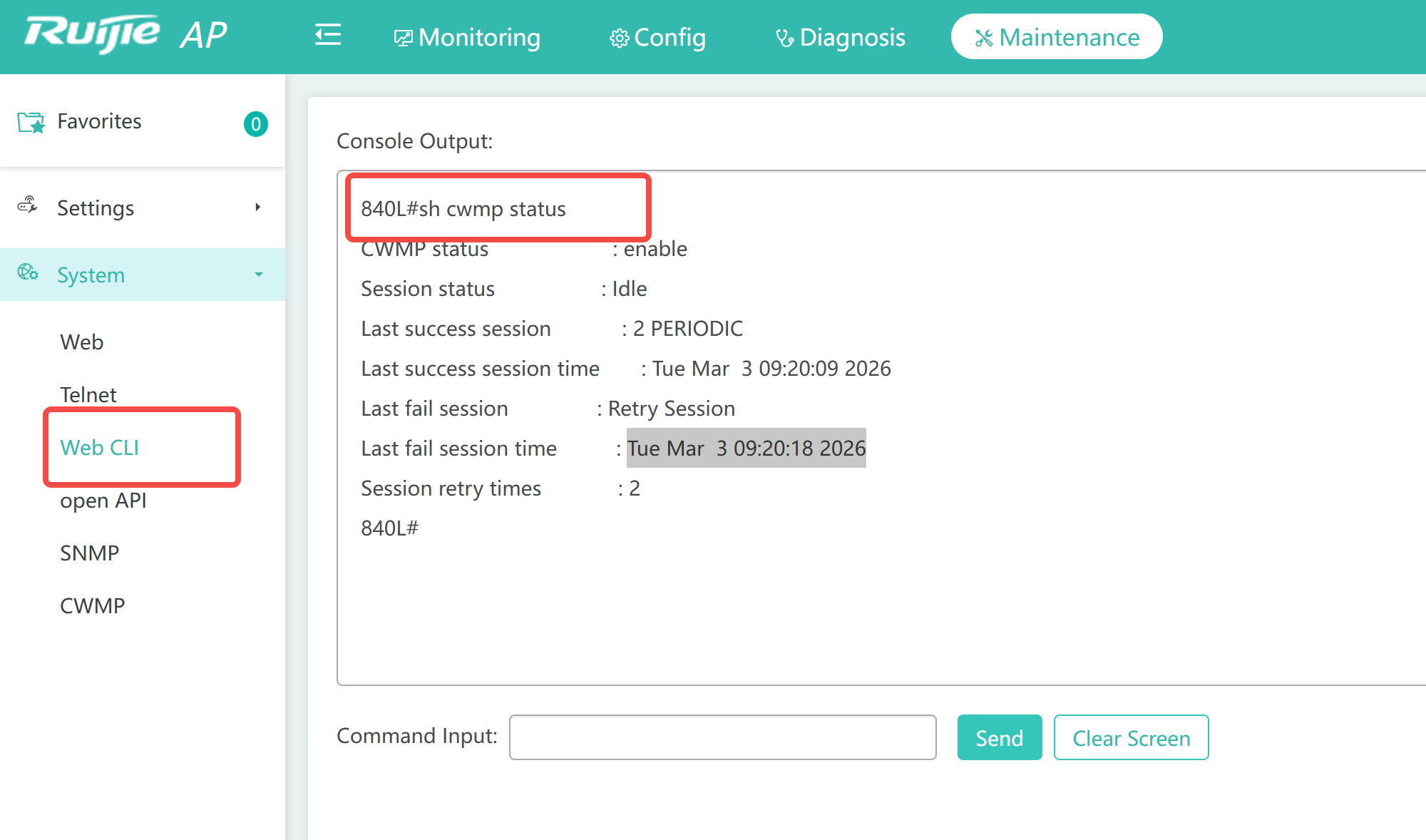 enter web cli, and command "show cwmp status", we can check there is failed session 2. check the URL configuration, with command sh cwmp config 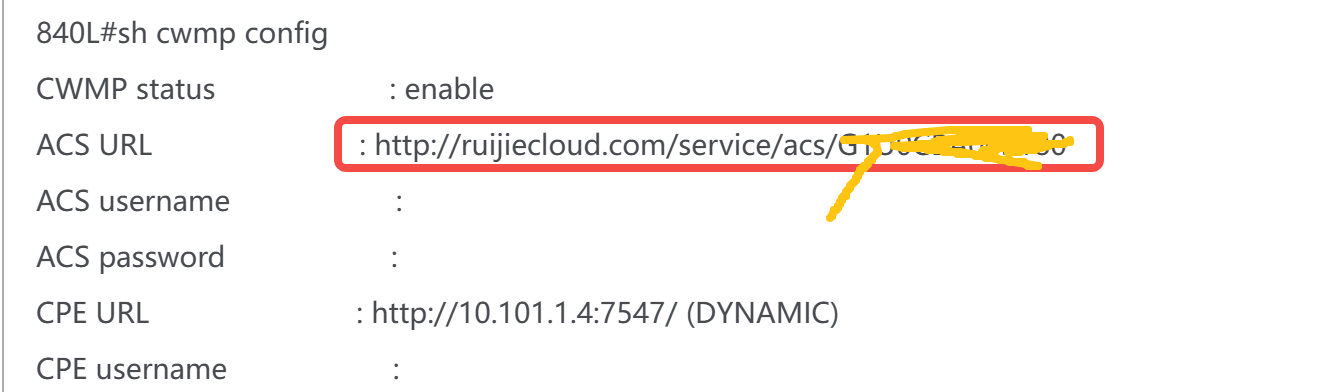 the url should be : http://cwmp003-eu.ruijienetworks.com/service/acs/SN_device after change it, we check the CWMP session is negotiated successfully, command to change cwmp config config t cwmp acs url http://cwmp003-eu.ruijienetworks.com/service/acs/"""SN_device"""" end write  so we confirm also the device is added on cloud |
This site contains user submitted content, comments and opinions and is for informational purposes only. Ruijie may provide or recommend responses as a possible solution based on the information provided; every potential issue may involve several factors not detailed in the conversations captured in an electronic forum and Ruijie can therefore provide no guarantee as to the efficacy of any proposed solutions on the community forums. Ruijie disclaims any and all liability for the acts, omissions and conduct of any third parties in connection with or related to your use of the site. All postings and use of the content on this site are subject to the Ruijie Community Terms of Use.
More ways to get help: Visit Support Videos, call us via Service Hotline, Facebook or Live Chat.
©2000-2023 Ruijie Networks Co,Ltd


 Level 1