How to configure from 3cx phone to core switch rujiee
|
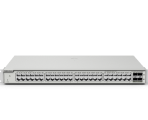
Hai team.. can i ask how to configure from 3CX phone to core switch Model:- NBS3300-16MG4XS-HP can your team teach me how to doing ? Thank you for your cooperation |
|
Dear sir, Could you please describe the issue in detail? And could you confirm the device model again? If you need the guide on voice vlan, you can refer to this link https://reyee.ruijie.com/en-global/support/documents/slide_rg-nbs3200-series-switches-reyeeos-2340-configuration-guide/#_Toc210914113. Part 14.7 Voice Vlan. Best Regards, |
GTAC-Shirley replied at 2026-4-14 13:54 Model:- NBS3300-16MG4XS-HP - core switch i mean form 3phone to switch NBS3300-16MG4XS-HP |
Syafawi awie replied at 2026-4-14 14:33 Dear sir, Sorry I didn't get your piont exactly. For the configuration guide of NBS3300-16MG4XS-HP, you can refer to https://reyee.ruijie.com/en-global/support/documents/slide_rg-nbs3300-series-switches-os-2340-configuration-guide/. And For future help, please contact us through RITA( www.ruijienetworks.com/rita), our live-chat platform. Our dedicated engineers are readily available to resolve your issues promptly. Best Regards, |
GTAC-Shirley replied at 2026-4-14 14:47 sorry bos..i mean how to setting and configure from Phone 3CX to switch rujiee NBS3300-16MG4XS-HP how to clarify this one |
Syafawi awie replied at 2026-4-14 15:57 Dear sir, May I know if you need to configure the switch NBS3300-16MG4XS-HP on your Phone 3CX? Or you need to connect the Phone 3CX to the NBS3300-16MG4XS-HP switch? Have you checked the configuration guide of this switch? For better help, please contact us through RITA( www.ruijienetworks.com/rita), our live-chat platform. We are readily available to resolve your issues promptly. |
GTAC-Shirley replied at 2026-4-14 16:48 Yes sir.i.need to know how to configure the switch NBS3300-16MG4XS-HP on your Phone 3CX? |
Syafawi awie replied at 2026-4-14 17:18 Sorry sir, for this switch the configuration environment should beGoogle Chrome, Internet Explorer 9.0, 10.0, and 11.0, and some Chromium/Internet Explorer kernel-based browsers (such as 360 Extreme Explorer). You should use a network cable to connect the switch port to the network port of the PC to login the device. Please see the guide, Charpter 2 Login. https://reyee.ruijie.com/en-global/support/documents/slide_rg-nbs3300-series-switches-os-2340-configuration-guide/#_Toc211098724 |
This site contains user submitted content, comments and opinions and is for informational purposes only. Ruijie may provide or recommend responses as a possible solution based on the information provided; every potential issue may involve several factors not detailed in the conversations captured in an electronic forum and Ruijie can therefore provide no guarantee as to the efficacy of any proposed solutions on the community forums. Ruijie disclaims any and all liability for the acts, omissions and conduct of any third parties in connection with or related to your use of the site. All postings and use of the content on this site are subject to the Ruijie Community Terms of Use.
More ways to get help: Visit Support Videos, call us via Service Hotline, Facebook or Live Chat.
©2000-2023 Ruijie Networks Co,Ltd


 Level 1