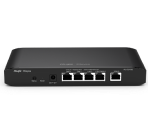
EG105G-V3 reboot overwrites EW3000GX-PRO and EW1200G-PRO 5 GHz manual channel from 161 to 36
|
Hello Dear Ruijie Support, I would like to report a reproducible RF/channel provisioning issue involving: Gateway:RG-EG105G-V3 Firmware:ReyeeOS 2.430.0.1924 AP 1: EW3000GX-PRO, operating in AP mode AP 2: EW1200G-PRO, operating in AP mode Both APs are managed under the EG/SON network. The EG firmware version matches the official ReyeeOS 2.430 release for RG-EG105G-V3. The official release notes list this exact version for the EG105G-V3 Current topology: EG105G-V3 ├── EW3000GX-PRO └── Switch → EW1200G-PRO Both APs are wired independently to the EG network. Manual RF configuration before reboot: 2.4 GHz: Channel 11, 20 MHz, Tx power 100% 5 GHz: Channel 161, 80 MHz, Tx power 100% Both AP local eWeb interfaces show: Configured 5 GHz Channel = 161 Current 5 GHz Channel = 161 Test 1 – Reboot EW3000GX-PRO only Result: EW3000GX-PRO remains on Channel 161 EW1200G-PRO remains on Channel 161 Therefore the manual channel configuration persists after an individual EW3000 reboot. Test 2 – Reboot EW1200G-PRO only Result: EW1200G-PRO remains on Channel 161 EW3000GX-PRO remains on Channel 161 Therefore the manual channel configuration also persists after an individual EW1200 reboot. Test 3 – Reboot EG105G-V3 only Result: EW3000GX-PRO changes from Channel 161 to Channel 36 EW1200G-PRO changes from Channel 161 to Channel 36 This happens to both APs at the same time. After the EG reboot, local eWeb on both APs shows: Configured 5 GHz Channel = 36 Current 5 GHz Channel = 36 So this is not only a temporary/current-channel change. The configured channel itself is overwritten from 161 to 36. Additional verification already performed: Scheduled Optimization: OFF WLAN Optimization Record: initially empty Deep Optimization was tested with only CH149–161 selected, but the result showed: Optimized 0 APs [No data Global RF menu does not expose a manual 5 GHz channel setting, only: Channel Width Disconnection RSSI Threshold Client Limit Multicast Rate The official ReyeeOS 2.430 release notes do not mention any wireless-channel persistence fix or known issue related to this behavior. The listed resolved issues concern authentication, NAT validation, and UDP fragmentation/Turbo Mode instead. Observed behavior summary: Reboot EW3000 only → 161 remains Reboot EW1200 only → 161 remains Reboot EG105G-V3 → both APs are reprovisioned to Channel 36 This strongly suggests that the EG startup/SON reprovisioning process is overwriting the APs' manually configured 5 GHz channel. Questions: Is this expected behavior for EG105G-V3 managing EW-series devices in AP mode? Is there a hidden/global RF startup profile or SON configuration that forces Channel 36 after an EG reboot? Is there a supported way to permanently lock 5 GHz to Channel 161 across EG reboots? Is this a known compatibility limitation between EG105G-V3 and EW3000GX-PRO / EW1200G-PRO? Is there a firmware fix or engineering build available that prevents EG reboot from overwriting the APs' manually configured 5 GHz channel? Thank you for your info and helping before |
This site contains user submitted content, comments and opinions and is for informational purposes only. Ruijie may provide or recommend responses as a possible solution based on the information provided; every potential issue may involve several factors not detailed in the conversations captured in an electronic forum and Ruijie can therefore provide no guarantee as to the efficacy of any proposed solutions on the community forums. Ruijie disclaims any and all liability for the acts, omissions and conduct of any third parties in connection with or related to your use of the site. All postings and use of the content on this site are subject to the Ruijie Community Terms of Use.
More ways to get help: Visit Support Videos, call us via Service Hotline, Facebook or Live Chat.
©2000-2023 Ruijie Networks Co,Ltd


 Level 1