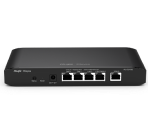
SD-Wan Local DNS server on HQ Router
|
You can point the DHCP DNS server at your remote nodes to the HQ router's IP address across the SD-WAN tunnel, but it comes with a major catch. Here is exactly how the network will behave if you do this:
To get full multi-site resolution across an SD-WAN without breaking local resolution, standard router DNS forwarders are usually insufficient. You would need to set up a dedicated DNS server (like Windows Server DNS or a small Linux VM running dnsmasq) at HQ and configure it with conditional forwarders—explicitly telling that central server to query the Site A gateway for Site A hostnames, and the Site B gateway for Site B hostnames. If you are only trying to access a handful of specific devices across the SD-WAN (like remote NVRs or access control panels), it is much easier to just assign those devices static IP addresses or add a few manual static DNS entries into the local gateway at each site. |
This site contains user submitted content, comments and opinions and is for informational purposes only. Ruijie may provide or recommend responses as a possible solution based on the information provided; every potential issue may involve several factors not detailed in the conversations captured in an electronic forum and Ruijie can therefore provide no guarantee as to the efficacy of any proposed solutions on the community forums. Ruijie disclaims any and all liability for the acts, omissions and conduct of any third parties in connection with or related to your use of the site. All postings and use of the content on this site are subject to the Ruijie Community Terms of Use.
More ways to get help: Visit Support Videos, call us via Service Hotline, Facebook or Live Chat.
©2000-2023 Ruijie Networks Co,Ltd


 Level 1