How to configure scheduled internet access for an employee VLAN
|
Hello Support Team, I need help configuring scheduled internet access on an [strong]EG105GW(T), running ReyeeOS 2.420.0.2127[/strong]. We have two Wi-Fi networks:
Please clarify:
Thank you. |
|
Hello, You have 2 methods to restrict access based in a schedule, using the device model EG105GW(T). First I will share with you the device manual: https://reyee.ruijie.com/en-global/support/documents/slide_ruijie-reyee-rg-eg-w-series-wireless-routers-reyeeos-2-380-configuration-guide/ And now let me explain, if you are setting rules for WIFI only, then you can set time schedules per SSID, you can find more information in section: 5.2 Configuring Wi-Fi Network-Wide > Workspace > Wireless > Wi-Fi > Wi-Fi List. 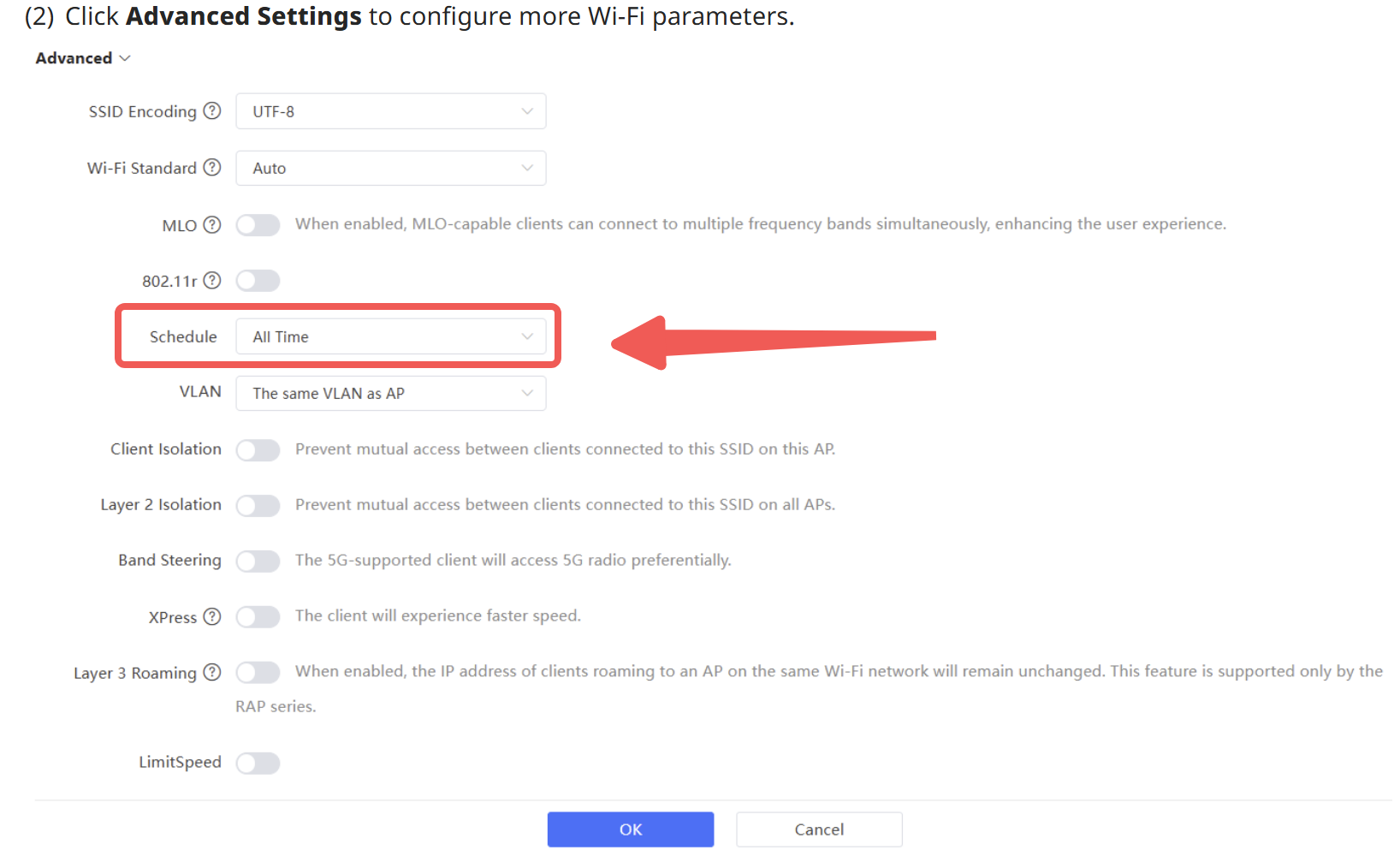 You can set a custom schedule to fit your needs. The second method is using Time Management and Access control features, you can see the information in sections: 8.3 Time Management 8.7 Access Control You would need to create a Time list according to your requirements, either by day or by week One-Device > Gateway > Config > Behavior > Time Management. 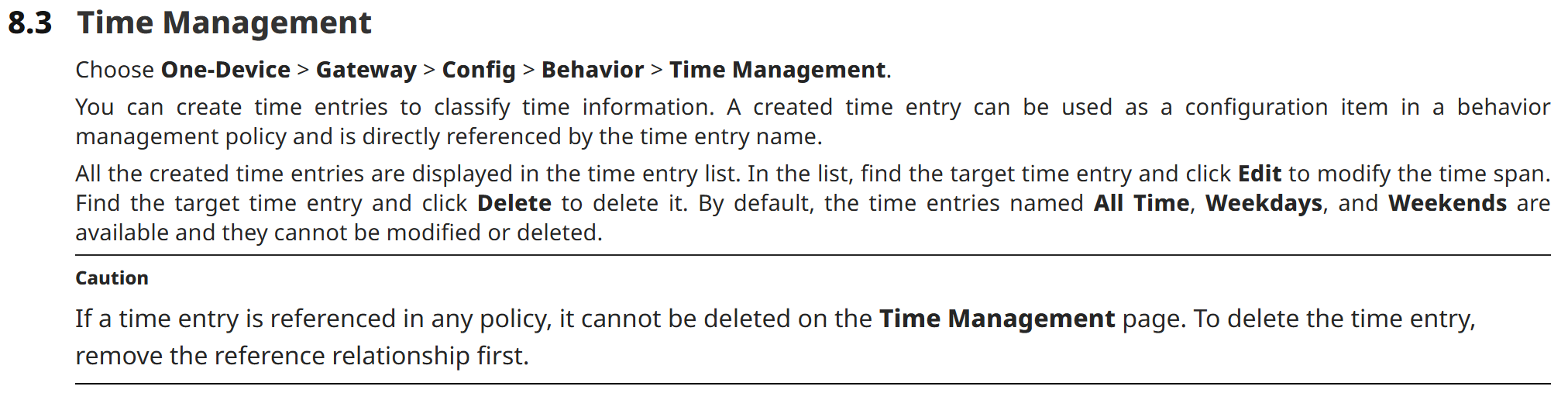 Then create a block rule for the IP segments (Source and destination) and bind with the schedule configured in the time list. One-Device > Gateway > Config > Behavior > Access Control.  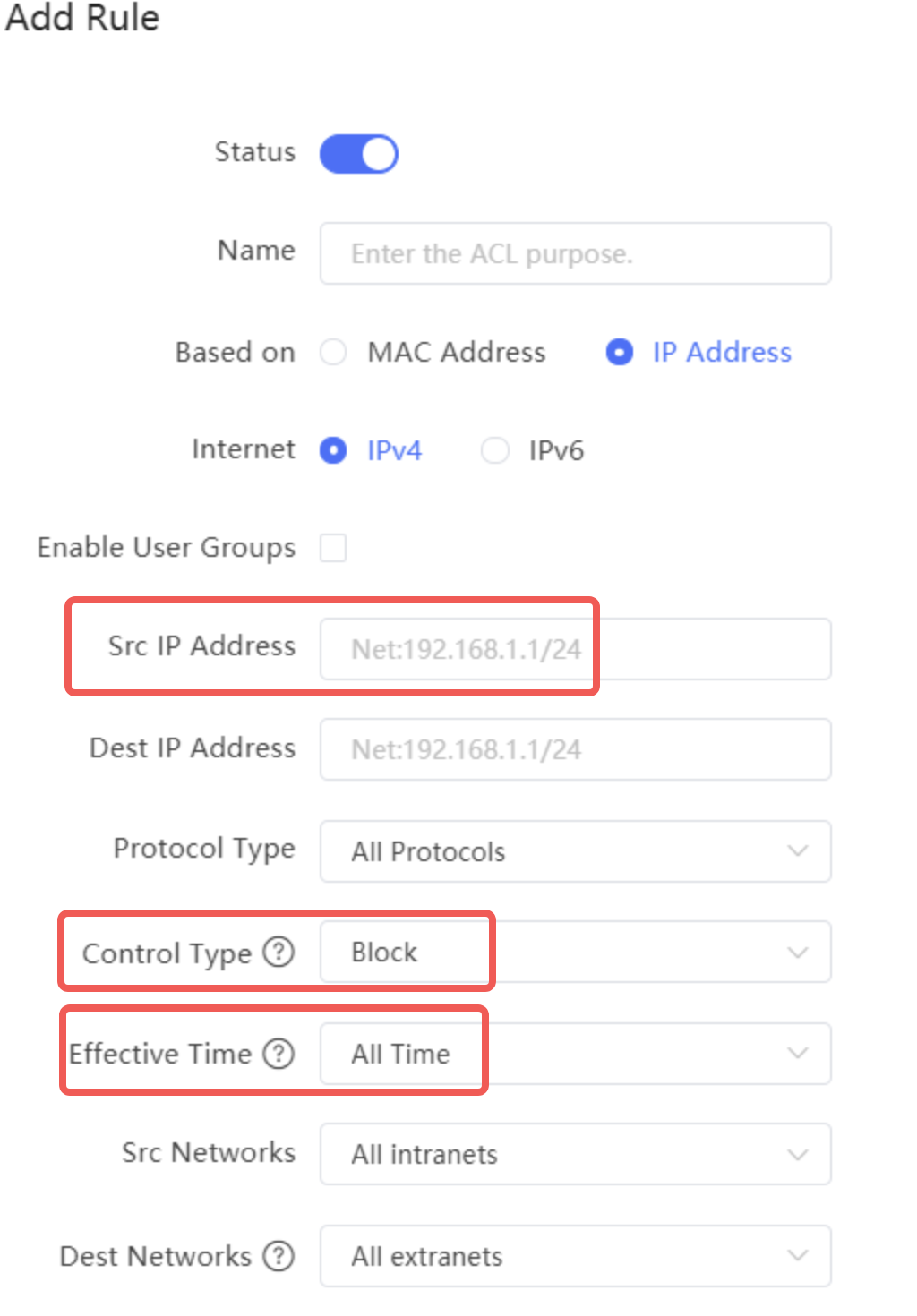 Note: All the above settings are configured connected to the device via eWeb or local connection (not from the cloud). Based on your network requirement to block only internet access, then the best approach would be to use the second method (Access Control). Best regards. |
This site contains user submitted content, comments and opinions and is for informational purposes only. Ruijie may provide or recommend responses as a possible solution based on the information provided; every potential issue may involve several factors not detailed in the conversations captured in an electronic forum and Ruijie can therefore provide no guarantee as to the efficacy of any proposed solutions on the community forums. Ruijie disclaims any and all liability for the acts, omissions and conduct of any third parties in connection with or related to your use of the site. All postings and use of the content on this site are subject to the Ruijie Community Terms of Use.
More ways to get help: Visit Support Videos, call us via Service Hotline, Facebook or Live Chat.
©2000-2023 Ruijie Networks Co,Ltd


 Level 1