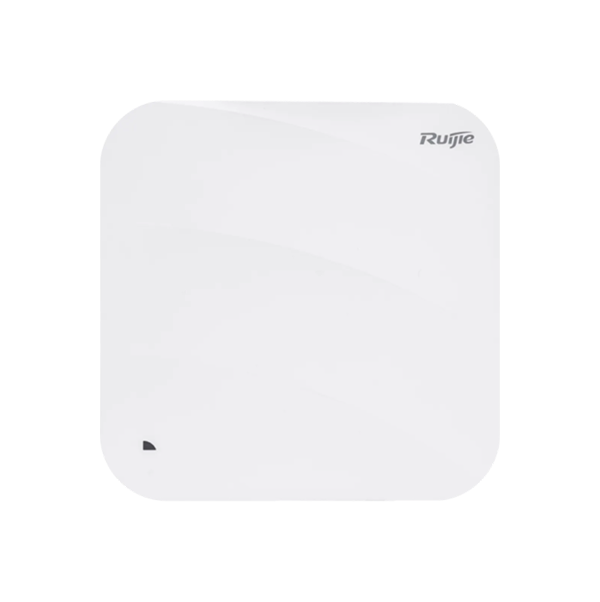
WS6008 with RAP2271(MG),RAP2200(E)-V2 and RAP2200(E)
|
Hi All, First an overview what i have: - WS6008 AC_RGOS 11.9(6)W5B9P2, Release(13192111) - RAP2271(MG) ReyeeOS 2.421.0.2111 - RAP2200(E)-V2 ReyeeOS 2.420.0.2127 - RAP2200(E)-V2 ReyeeOS 2.420.0.2127 1. Question: Are my access points supported by the AC WS6008 as i cannot find a up2date document or any other notes ? 2. Question: What i do wrong that my AP is not detected nor really get an ip address ? Switch port config interface TenGigabitEthernet1/0/37 shutdown description WS6008 switchport mode trunk switchport trunk native vlan 234 switchport trunk allowed vlan 121-123,128,129,234 no shutdown exit interface TenGigabitEthernet1/0/38 description RAP2271(MG) spanning-tree portfast switchport access vlan 234 exit WS6008 config version AC_RGOS 11.9(6)W5B9P2, Release(13192111) language character-set UTF-8 hostname WS6008 ! wlan-config 121 WIRED121 ssid-code utf-8 ! wlan-config 122 WIRED122 ssid-code utf-8 ! wlan-config 123 WIRED123 ssid-code utf-8 ! ap-group default interface-mapping 121 121 radio 1 ap-wlan-id 1 ... interface-mapping 122 122 radio 1 ap-wlan-id 2 ... interface-mapping 123 123 radio 1 ap-wlan-id 3 .. ! ap-config all smart-rate-control enable smart-rate-control config application guarantee enable wired-vlan 234 ap-vlan 234 ! ac-controller wlan-features 0x3 wqos fs enable capwap ctrl-ip 10.252.234.10 no ac-control disable country CN 802.11g network rate 1 disabled ... 6GHz network rate 54 supported ! cloud-diagnosis enable cloud-diagnosis server http://api.cloud.ruijie.com.cn/rgdev/nbm/config/config.json cloud-diagnosis sync-server http://api.cloud.ruijie.com.cn/rgdev/nbm/version/sync ! metrics monitor enable spanning-tree ! app-traffic enable-statistics ! wlan-cap forward central ! wids ! black-white-list ! terminal-identify-template default ! identify-application enable identify-application ap-enable ! cwmp ... ! service dhcp ! ip dhcp pool DHCP-234 option 43 ip 10.252.234.10 option 138 ip 10.252.234.10 lease 0 1 0 network 10.252.234.0 255.255.255.0 dns-server 114.114.114.114 114.114.115.115 default-router 10.252.234.1 ! install 0 WS6008 ! sysmac c470.abe7.38b7 ! enable service web-server http enable service web-server https web-server http redirect-to-https webmaster level 0 username admin password 7 ... http update mode manual ! mqtt-server enable mqtt-client broker username ruijie mqtt-client broker password 7 ... password policy printable-character-check password policy min-size 8 password policy strong service password-encryption ! redundancy ! no enable service snmp-agent logging server 127.0.0.1 clock timezone AsiaShanghai +8 0 ! link-check disable ! nfpp ! wlan diag enable frn ! login privilege log enable service telnet-server ! vlan range 1,41,121-123,128,234 ! interface GigabitEthernet 0/1 switchport mode trunk switchport trunk native vlan 234 spanning-tree bpdufilter enable ! interface GigabitEthernet 0/2 ! interface GigabitEthernet 0/3 ! interface GigabitEthernet 0/4 ! interface GigabitEthernet 0/5 ! interface GigabitEthernet 0/6 ! interface GigabitEthernet 0/7 ! interface GigabitEthernet 0/8 ! interface VLAN 1 ip address dhcp ! interface VLAN 121 ip address dhcp ! interface VLAN 122 ip address dhcp ! interface VLAN 123 ip address dhcp ! interface VLAN 128 ip address dhcp ! interface VLAN 234 ip address 10.252.234.10 255.255.255.0 ! wlansec 121 security rsn enable security rsn ciphers aes enable security rsn akm psk enable security rsn akm psk set-key ascii ewebwifi security wpa enable security wpa ciphers aes enable security wpa akm psk enable security wpa akm psk set-key ascii ewebwifi ! wlansec 122 security rsn enable security rsn ciphers aes enable security rsn akm psk enable security rsn akm psk set-key ascii ewebwifi security wpa enable security wpa ciphers aes enable security wpa akm psk enable security wpa akm psk set-key ascii ewebwifi ! wlansec 123 security rsn enable security rsn ciphers aes enable security rsn akm psk enable security rsn akm psk set-key ascii ewebwifi security wpa enable security wpa ciphers aes enable security wpa akm psk enable security wpa akm psk set-key ascii ewebwifi ! ip route 0.0.0.0 0.0.0.0 10.252.234.1 ! snmp-server logging set-operation no snmp-server enable version v1 no snmp-server enable version v2c snmp-server enable version v3 snmp-server enable secret-dictionary-check snmp-server authentication attempt 3 exceed lock-time 5 ! wis server-url http://121.43.100.117:88 wis enable ! line console 0 line vty 0 4 login ! end WS6008# Hope to find some who can support |
This site contains user submitted content, comments and opinions and is for informational purposes only. Ruijie may provide or recommend responses as a possible solution based on the information provided; every potential issue may involve several factors not detailed in the conversations captured in an electronic forum and Ruijie can therefore provide no guarantee as to the efficacy of any proposed solutions on the community forums. Ruijie disclaims any and all liability for the acts, omissions and conduct of any third parties in connection with or related to your use of the site. All postings and use of the content on this site are subject to the Ruijie Community Terms of Use.
More ways to get help: Visit Support Videos, call us via Service Hotline, Facebook or Live Chat.
©2000-2023 Ruijie Networks Co,Ltd


 Level 1