Import SSL to WLC Ruijie
|
The captive portal wifi I am currently using uses http (80), and I want to change it to https (443). Is this possible on the Ruijie WS6008 WLC? |
|
Dear customer, The HTTPS service uses the self-signed certificate by default. You can run the web-server https certificate command to install the HTTPS service certificate issued by the certificate authority. web-server https certificate { pem cert-filename private-key key-filename } | { pfx cert-filename } [ password password-text ] 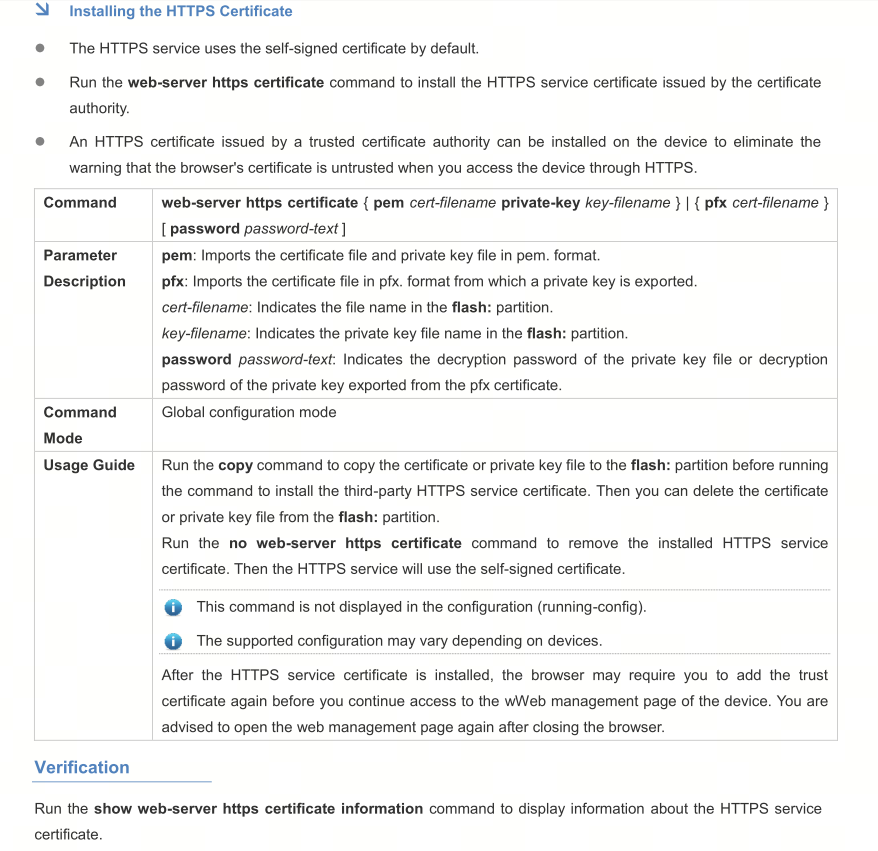 |
GTAC-Ryan replied at 2025-10-22 15:45 I did not find that capture in the Ruijie WS6008 WLC installation document. Can you provide me with that guide document for SSL installation for HTTPS? |
Lanang Rabbani replied at 2025-10-22 15:57 Dear customer, The latest firmware version for WS6008 is AC_RGOS 11.9(6)W5. You can refer to the configuration guide for this RGOS version like the one below. These commands will also work on WS6008 running on AC_RGOS 11.9(6)W5 . https://www.ruijie.com/en-global/support/documents/slide_rg-ws7005-av2-ac-rgos11-9-6-w5-configuration-guide/# |
Edited by Lanang Rabbani at 2025-10-29 15:10 GTAC-Ryan replied at 2025-10-22 16:16my case on the WLC WS6008, the SSL import was successful, but I need a captive portal on iPortal for WiFi login to use HTTPS. Currently, it is still HTTP. Do you have any suggestions? I have already activated the HTTP to HTTPS redirect and enabled HTTPS, but the WiFi captive portal still does not change to HTTPS. Please help. |
Edited by GTAC-Scenty at 2025-10-29 20:08 Lanang Rabbani replied at 2025-10-29 15:07Dear customer, Sir, could you perhaps check your iportal template settings? On the WS6008 Web interface, navigate to "Authentication" → "Web Authentication" → "iPortal Authentication", confirm whether "Fully Customized" or "Partially Customized" is selected in the page settings, and check whether the URL in the template uses the HTTPS protocol. and manually enter the HTTPS Portal address in the end point browser to confirm whether it can be accessed normally |
Edited by Lanang Rabbani at 2025-10-31 10:00 GTAC-Scenty replied at 2025-10-29 18:00I have checked it. In the HTML files uploaded no explicit redirection to HTTP or HTTPS in them. Redirection or protocol usage will depend on how the pages are accessed from the server. If the file is accessed using HTTP, then the redirection and form action will use HTTP. Similarly, if the files are accessed via HTTPS, the redirection will follow that protocol. I have imported SSL correctly, and if I access the captive portal using only the IP address, SSL works, but if I access the captive portal using the IP address:iPortal Server Port, SSL does not work, whereas direct captive portal using the IP address:iPortal Server Port works. Please help. 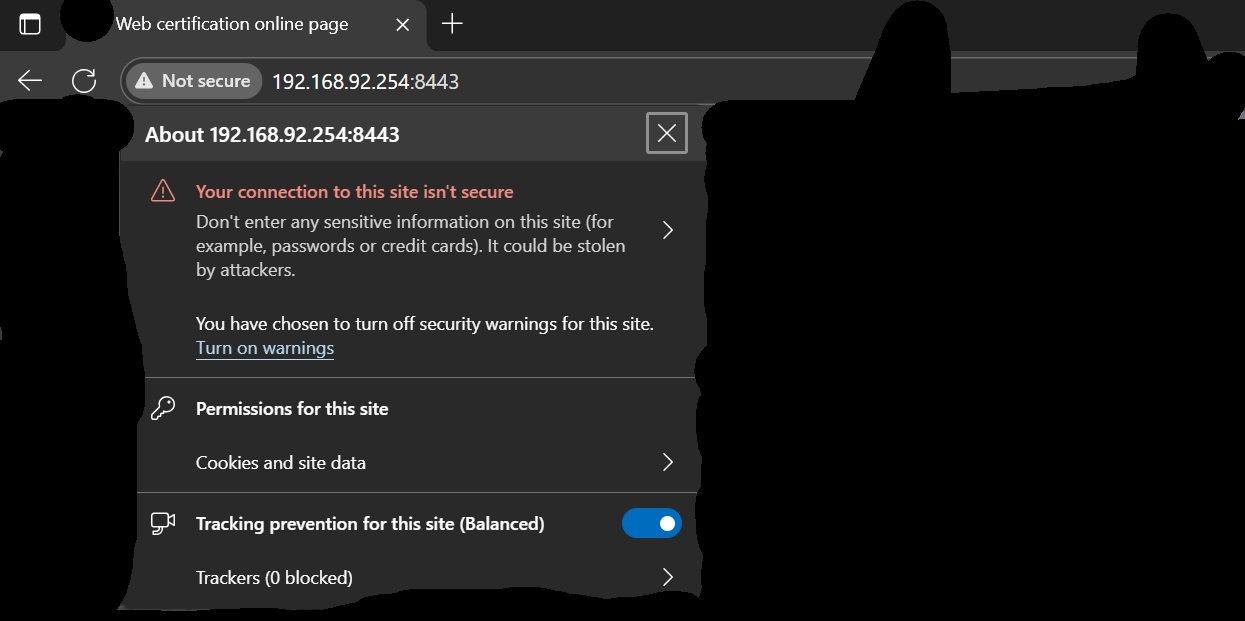 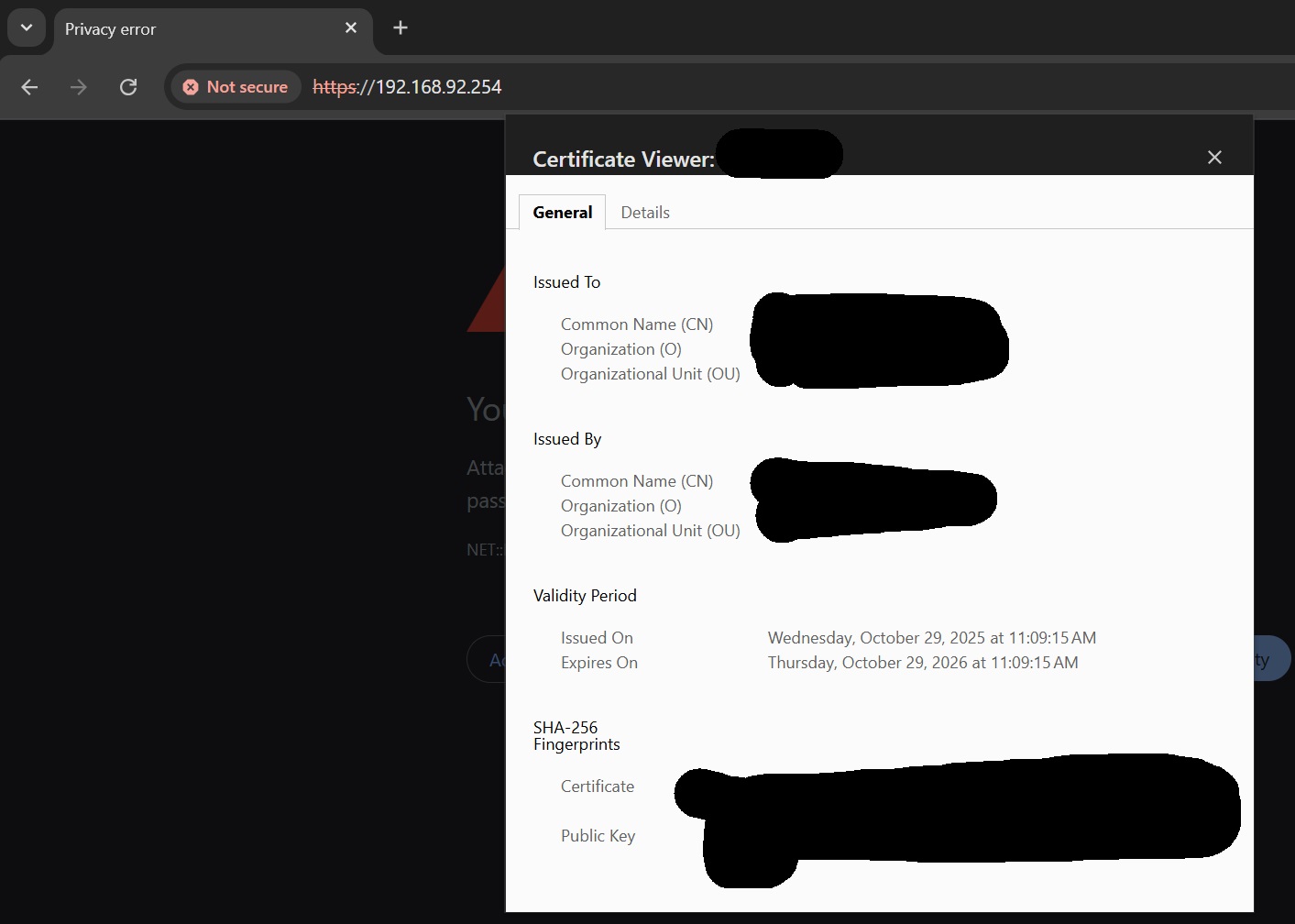 |
Lanang Rabbani replied at 2025-10-31 09:59 Hi sir, SSL is only enabled on the default HTTPS port (443). The custom ports (such as 8443, 8081, etc.) listened to by the iPortal service are not configured with SSL/TLS encryption. Therefore, even if you access using https://ip:port, the browser will not be able to establish a secure connection. The insecure certificate of the portal is a requirement of HTTPS. The https function must have a certificate, which is generated by a self-signed certificate. When compared with the CA certificate built into the browser, if the issuing authority is inconsistent, it will be insecure. Best regards, Steve |
Steve replied at 2025-10-31 10:17 My question is not whether it is safe or not, but why does my SSL not work when I open the captive portal WiFi? Whereas if I open it with just the IP, SSL works, and SSL can only be used with an IP or domain, whereas this captive portal is opened with IP:portal. |
This site contains user submitted content, comments and opinions and is for informational purposes only. Ruijie may provide or recommend responses as a possible solution based on the information provided; every potential issue may involve several factors not detailed in the conversations captured in an electronic forum and Ruijie can therefore provide no guarantee as to the efficacy of any proposed solutions on the community forums. Ruijie disclaims any and all liability for the acts, omissions and conduct of any third parties in connection with or related to your use of the site. All postings and use of the content on this site are subject to the Ruijie Community Terms of Use.
More ways to get help: Visit Support Videos, call us via Service Hotline, Facebook or Live Chat.
©2000-2023 Ruijie Networks Co,Ltd


 Level 1