Forgot password?
 Register now

Welcome to use this form to feedback your problems with Ruijie Community

The category of your feedback

Your Feedback

Your Email address (optional):

"Enable WAN" function on Reyee AP Reply

Grzegorz Jabłoński

Level 1

"Enable WAN" function on Reyee AP
179 1 2026-6-30 16:10:36
Original
Is there a list of devices that support the “Enable WAN” feature, which allows us to share the Internet connection on the WAN port after the AP has been messed up or used as a repeater?


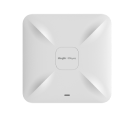
RG-RAP52-OD

Cloud Wireless Mesh Wi-Fi
0 2026-7-6 17:07:34 View all replies
Based on the screenshot and standard ReyeeOS behavior, there isn’t a specific restricted standalone "compatibility list" published by Ruijie. Instead, the "Enable WAN" feature is a universal system feature embedded into ReyeeOS for multi-port Ruijie Reyee RG-RAP series Access Points.  
When a Reyee AP drops into Wireless Repeater Mode (mesh or wireless uplink topology), the system automatically disables the physical WAN port by default to safeguard the network against broadcast loops, as explicitly called out in the notification text. Toggling this feature to "Enable" forces the physical WAN/uplink port back online, transforming the AP into a wireless bridge. This allows you to safely pass the wirelessly repeated Internet connection down out of that port and into a local switch or client device.

Verified Supporting Models Include:

  • RG-RAP6262(G) (the exact model managed in the workspace)  
  • RG-RAP6260(G) and RG-RAP6260(H) outdoor access points  
  • Multi-port high-density indoor APs (like the RG-RAP2260 series)  
  • Multi-port wall-plate series (such as the RG-RAP1200 series or the RG-RAP1261) when deployed in wireless repeater/mesh mode  

As long as the access point belongs to the Reyee RG-RAP family, features more than one physical Ethernet interface, and is running an updated version of ReyeeOS, this option will populate under the Advanced settings menu whenever the device operates via a wireless uplink.  

Related Posts
Product Model

Share this topic to

Cancel

This site contains user submitted content, comments and opinions and is for informational purposes only. Ruijie may provide or recommend responses as a possible solution based on the information provided; every potential issue may involve several factors not detailed in the conversations captured in an electronic forum and Ruijie can therefore provide no guarantee as to the efficacy of any proposed solutions on the community forums. Ruijie disclaims any and all liability for the acts, omissions and conduct of any third parties in connection with or related to your use of the site. All postings and use of the content on this site are subject to the Ruijie Community Terms of Use.

More ways to get help: Visit Support Videos, call us via Service Hotline, Facebook or Live Chat.

©2000-2023 Ruijie Networks Co,Ltd