Multi vlan acess on single SSID
|
I setup a project contain AP-720L, AP-820L(v3), AP840I on Cloud Controller (https://cloud-as.ruijienetworks.com/) How can I setup Roaming? Configuration>Wireless>Roaming only allow on/off . What's meaning of this setting? I want to create an SSID for customers using it within the building. The number of simultaneous customers is around 3000, while the VLANs can only assign a maximum of 500 IP addresses. How can I create a single SSID that can assign IP addresses from multiple VLANs without needing a RADIUS server (similar to VLAN pooling technology)? The APs are currently connected directly to the Cisco switch via trunk ports. How can I achieve this? Thank you. |
Nguye Truong Giang replied at 2025-12-11 15:53 Dear customer, The roaming option here is the same with the one in "Device Config > Wireless > Layer 3 Roaming" page in the new UI. It is advised to configure it in the new UI since the old UI is less maintained. 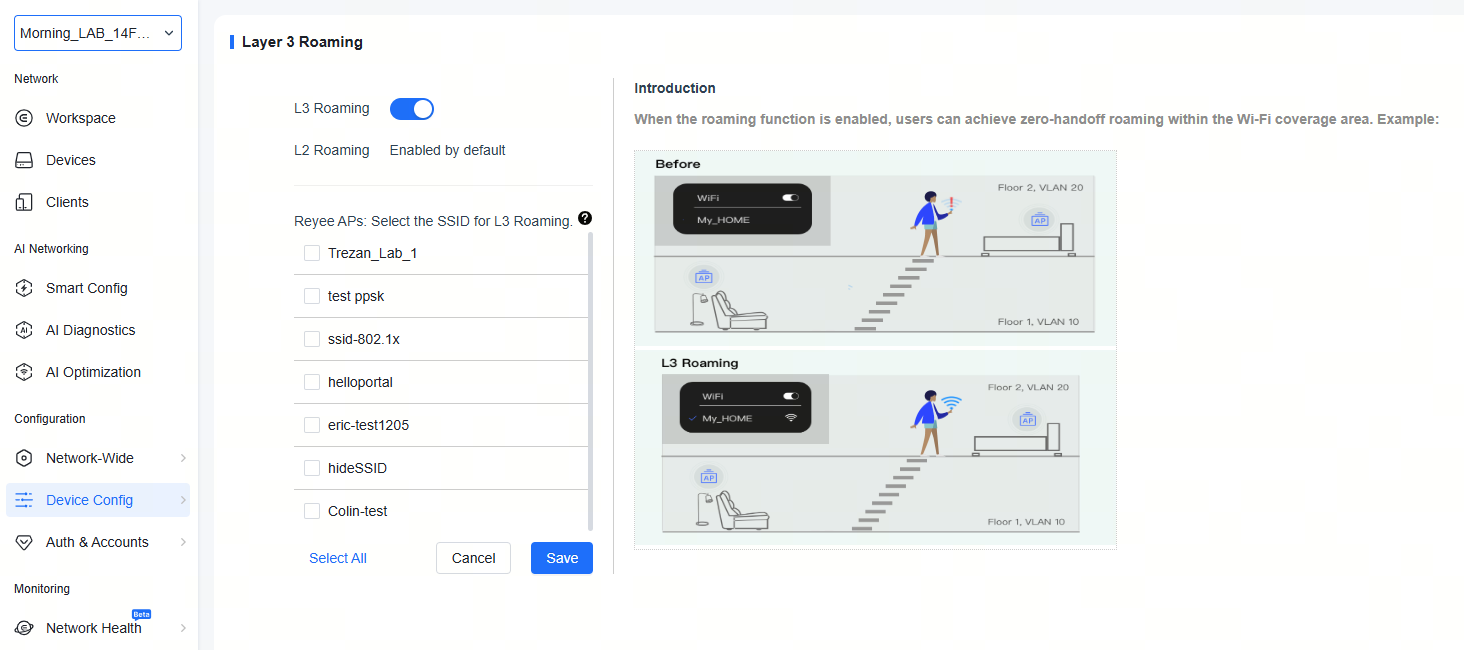 Upon further verifying, the mac-hash assignment mode is only available on Ruijie wireless controller models WS7204 and WS6812. For Ruijie AP in cloud managed mode, this option is not available. If you have a wireless controller, it can be configure via CLI. Here is an example. --Create vlans and Ruijie(config)#vlan 201 Ruijie(config-vlan)#exit Ruijie(config)#vlan 202 Ruijie(config-vlan)#exit --Add them into VLAN group and set the assign mode. Ruijie(config)#vlan-group 10 Ruijie(config-vlan-group)#vlan-list 201-202 Ruijie(config-vlan-group)#vlan-assign-mode mac-hash Ruijie(config-vlan-group)#exit |
|
Edited by GTAC-Ryan at 2025-12-11 17:05 Dear customer, When managed via Ruijie Cloud, APs in the project can perform layer 2 roaming by default. May I ask if you are refering to the configuration in the "Device Config > Wireless > Layer 3 Roaming" page? Regarding multiple VLANs encapsulated in one SSID, this is, unfortunately, not supported. The vlan assign mode on Ruijie WLAN only has the following 2 options: dot1x: After successful 802.1x authentication, the authentication server assigns VLANs to the user. mac-hash: It randomly selects a VLAN from the list based on the MAC address hash; it's not possible to switch to a second VLAN only after one VLAN has been used up. This option is only available on Ruijie wireless controller models WS7204 and WS6812. For Ruijie AP in cloud managed mode, this option is not available. |
Edited by Nguye Truong Giang at 2025-12-11 16:01 GTAC-Ryan replied at 2025-12-11 15:36Thanks for your support, But how to setup "mac-hash"? How to config a list of Vlans on Ruijie Cloud? I can not find"L3 Roaming" option page anymore on Ruijie Cloud. Now only "Network Roaming" available. What's "Network Roaming"? 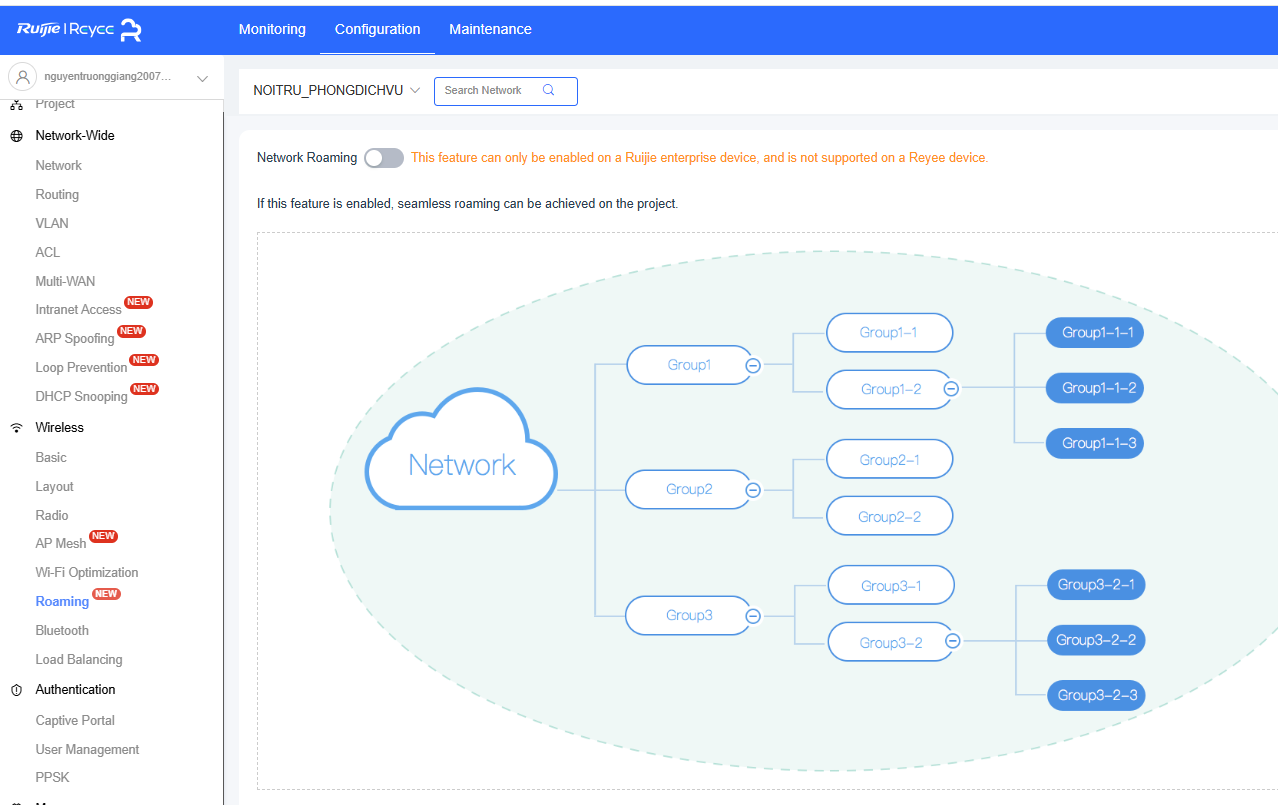 |
This site contains user submitted content, comments and opinions and is for informational purposes only. Ruijie may provide or recommend responses as a possible solution based on the information provided; every potential issue may involve several factors not detailed in the conversations captured in an electronic forum and Ruijie can therefore provide no guarantee as to the efficacy of any proposed solutions on the community forums. Ruijie disclaims any and all liability for the acts, omissions and conduct of any third parties in connection with or related to your use of the site. All postings and use of the content on this site are subject to the Ruijie Community Terms of Use.
More ways to get help: Visit Support Videos, call us via Service Hotline, Facebook or Live Chat.
©2000-2023 Ruijie Networks Co,Ltd


 Level 1