Forgot password?
 Register now

Welcome to use this form to feedback your problems with Ruijie Community

The category of your feedback

Your Feedback

Your Email address (optional):

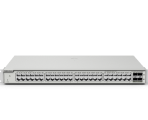
Ruijie ES206GS-P Switch loses connectivity after site-wide power outage Reply

User 83439

Level 1

Ruijie ES206GS-P Switch loses connectivity after site-wide power outage
187 4 2026-8-27 18:09:49
Original
Hi all,
Seeking assistance with a Ruijie network issue following a site-wide power outage.
Setup:
  • Gateway: Ruijie EG105GW-X
  • Switch: Ruijie ES206GS-P

Observed Facts:
  • After full site power was restored, all devices rebooted simultaneously.
  • 11 out of 12 devices reconnected normally; only the ES206GS-P switch remained offline/unreachable in Ruijie Cloud.
  • Manually rebooting (power-cycling) the switch restores normal connectivity every time.

Questions:
  • What could be the root cause of this specific switch failing to reconnect on power-up?
  • How can I prevent this from happening, considering this site experiences frequent power outages?

RG-ES205GC-P

Troubleshooting Switch
0 2026-8-27 20:07:29 View all replies
Tried to ask AI and solutoin is given below, will try this when I am working
on site
Root Cause Analysis
  • Boot Sequence Race Condition: The ES206GS-P switch initializes much faster (~30 seconds) than the EG105GW-X gateway (~2–3 minutes).
  • DHCP Timeout & Fallback State: Because the ES206GS-P is directly connected to the gateway, its physical link goes live immediately upon restoration. It sends DHCP broadcasts before the gateway's DHCP server is operational. After timing out, the switch assigns itself a Fallback IP and enters a long retry interval (exponential backoff) for Ruijie Cloud reconnection.
  • Why Other Switches Reconnect: Downstream switches connected via EST350G wireless bridges experience a 1–2 minute delay while the bridge pairs. This physical delay acts as an automatic startup delay, giving the gateway time to complete its boot sequence before those switches attempt DHCP discovery.

Recommended Solution
Configure a Static IP directly on the switch to eliminate its boot-time dependency on DHCP.

0 2026-8-27 20:46:39 View all replies
User 83439 replied at 2026-8-27 20:07
Tried to ask AI and solutoin is given below, will try this when I am working
on site
Root Cause An ...

Dear sir,
Please first check if the last ES206GS-P switch has already obtained IP address and if it can access internet normally.  

0 2026-8-27 20:56:21 View all replies
GTAC-Shirley replied at 2026-8-27 20:46
Dear sir,
Please first check if the last ES206GS-P switch has already obtained IP address and if i ...

Hi Shirley,
  • The switch is completely missing from the Gateway’s eWeb device / client list.
  • IP cameras and NVR connected to the switch directly also lose internet access.

So I guess It fails to get an IP and remains unreachable until I manually power-cycle it.

0 2026-8-27 21:01:20 View all replies
User 83439 replied at 2026-8-27 20:56
Hi Shirley,
  • The switch is completely missing from the Gateway’s eWeb device / client list.

  • Hi sir.
    If so, maybe next time when there's a power outage, you can check on the gateway to see if it has received the dhcp request packets from the ES206GS-P.  You can check it by capturing packets on the gateway or you contact us via live-chat,  www.ruijienetworks.com/rita, and we'll help you further.

    Related Posts
    Product Model

    Share this topic to

    Cancel

    This site contains user submitted content, comments and opinions and is for informational purposes only. Ruijie may provide or recommend responses as a possible solution based on the information provided; every potential issue may involve several factors not detailed in the conversations captured in an electronic forum and Ruijie can therefore provide no guarantee as to the efficacy of any proposed solutions on the community forums. Ruijie disclaims any and all liability for the acts, omissions and conduct of any third parties in connection with or related to your use of the site. All postings and use of the content on this site are subject to the Ruijie Community Terms of Use.

    More ways to get help: Visit Support Videos, call us via Service Hotline, Facebook or Live Chat.

    ©2000-2023 Ruijie Networks Co,Ltd