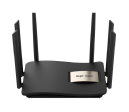
RG-EW1200 - Cannot connect to Wi-Fi: "Connection failed" error
|
Edited by Eugene E at 2026-2-11 07:31 RG-EW1200 - Cannot connect to Wi-Fi: error Hello! I need help with my Ruijie Reyee . If you re-enable the button and re-register all the settings, then the phone connects to Wi-Fi, and then re-connect the router and everything, when connected to Wi-Fi - write on the phone - Bad connection The Problem: > My phone fails to connect to the Wi-Fi network entirely. Even though the password is 100% correct, the connection fails immediately. Steps taken:
Is there a specific setting that could cause this? Thanks in advance! |
|
You can try disabling hardware acceleration. For better troubleshooting, you can contact our online engineers via our live chat platform. The website is http://www.ruijienetworks.com/rita. |
|
I’d definitely check the router’s wireless security mode, DHCP settings, and whether the phone is being blocked by an access-control or MAC-filtering rule. Since the issue persists after a factory reset, testing with another phone can also help determine whether the problem is the router or the original device.@ Veck IO may be unrelated to Wi-Fi troubleshooting, but hopefully these steps help narrow down the connection problem. |
der lean replied at 2026-9-8 12:08 When will you be available to cooperate with the test on site? We hope you can join the live chat for real-time communication, which will facilitate us to locate the problem. http://www.ruijienetworks.com/rita. |
This site contains user submitted content, comments and opinions and is for informational purposes only. Ruijie may provide or recommend responses as a possible solution based on the information provided; every potential issue may involve several factors not detailed in the conversations captured in an electronic forum and Ruijie can therefore provide no guarantee as to the efficacy of any proposed solutions on the community forums. Ruijie disclaims any and all liability for the acts, omissions and conduct of any third parties in connection with or related to your use of the site. All postings and use of the content on this site are subject to the Ruijie Community Terms of Use.
More ways to get help: Visit Support Videos, call us via Service Hotline, Facebook or Live Chat.
©2000-2023 Ruijie Networks Co,Ltd


 Level 1